Get Your Card PIN Directly in iBank Mobile
With the ePIN for Bank Cards service, you can receive your card PIN quickly, securely and entirely digitally through the iBank Mobile application.
There is no longer a need to store paper PIN letters. The information you need is available directly in mobile banking whenever you need it
Why choose ePIN?
✓ Convenience
Forget about paper PIN letters. Once requested, your PIN code is available in iBank Mobile for 45 days, giving you enough time to view it, memorize it or change it at an ATM whenever it is most convenient for you.
✓ Security
Access to your PIN code is provided through a secure and encrypted connection within the iBank Mobile application. For additional protection, authentication via biometrics (Face ID / Touch ID) or the app access PIN is required.
✓ Less Paper
Digital PIN delivery reduces the use of paper documents and makes card management easier through mobile banking.
How do you get your ePIN?
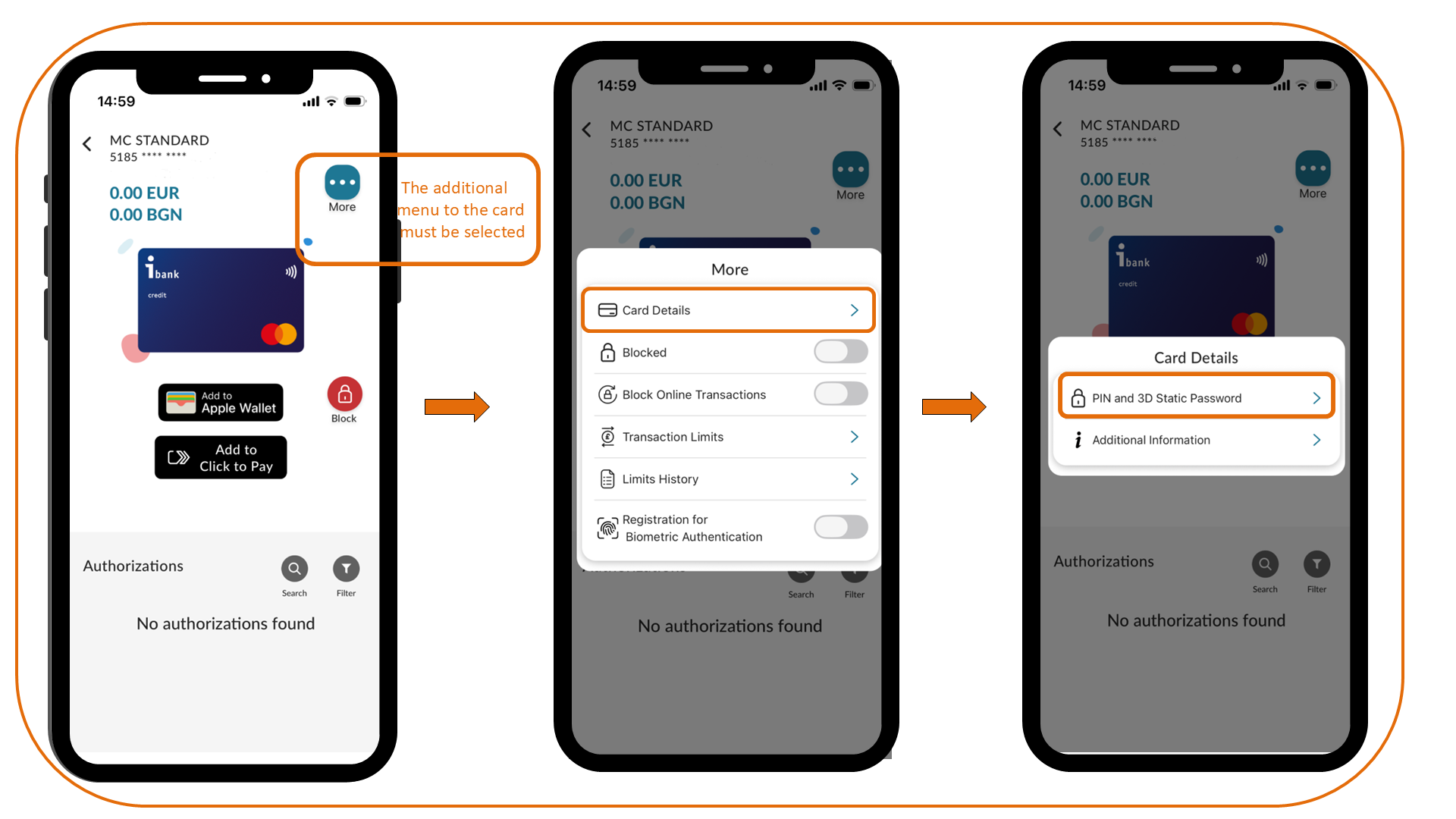
Getting your ePIN is quick and easy through iBank Mobile:
- Log in to iBank Mobile.
- Select the card for which an ePIN request has been made.
- Tap the "MORE" button in the upper-right corner of the card.
- Select "Card Details" and follow the on-screen instructions to retrieve your PIN code.
Important
When requesting an ePIN for a newly issued bank card, both the card PIN and the card's static 3D password will be displayed in iBank Mobile.
When requesting an ePIN for an existing bank card, only the card PIN will be displayed. The static 3D password remains unchanged.